 Spot Startups
Pest Direct
Compare local pest control companies before you hire.

Start your day right. Everything you need in one dashboard - tasks, links, notes, calendar, and more. Trusted by professionals who value clarity over chaos.
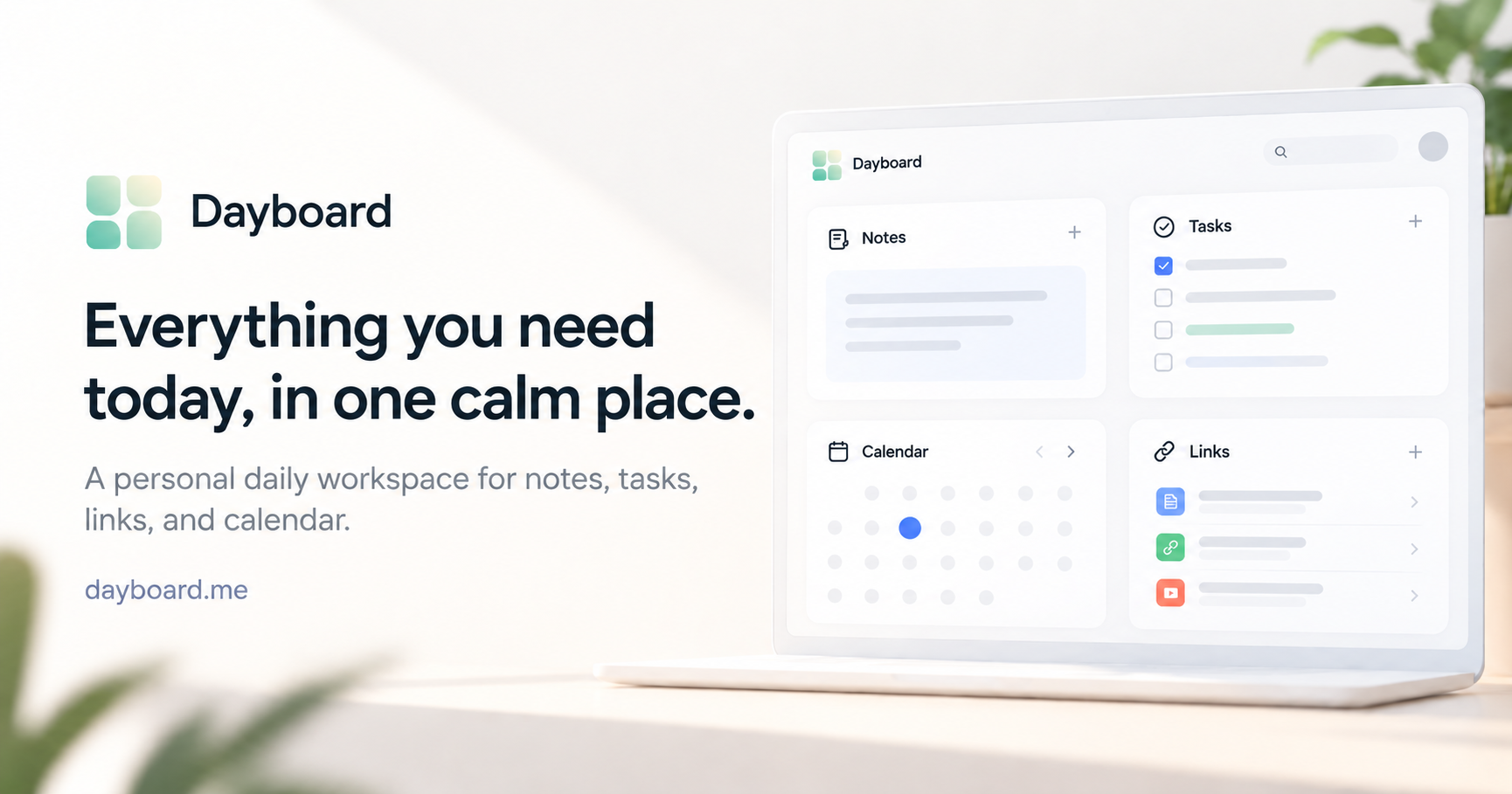
Dayboard is a personal daily workspace that brings your tasks, notes, important links, and calendar context together in one customizable dashboard.
Designed for freelancers, developers, managers, founders, and other busy professionals, Dayboard helps you stay organized without constantly switching between apps or maintaining a complicated productivity system.
Instead of replacing tools like Notion, Todoist, or Jira, Dayboard gives you one reliable place to keep what matters today visible and easy to reach.
Customizable dashboards: Create separate Dayboards for work, personal life, clients, or projects.
Task management: Keep daily to-do lists and priorities visible.
Notes and quick capture: Save ideas, meeting notes, reminders, and useful information.
Quick links: Organize frequently used websites, documents, and resources.
Calendar overview: See upcoming commitments, with Google and Outlook calendar sync available on paid plans.
Focus and time tracking: Use built-in widgets to manage focused work sessions and track time.
Goals and habits: Keep personal goals, milestones, and recurring habits within reach.
Sharing and collaboration: Share dashboards and collaborate with others on supported plans.
Dayboard is especially useful for people who spend much of their day working in a browser and switching between different tools.
Whether you're tracking client work, managing meetings, writing code, or organizing personal projects, Dayboard provides a flexible workspace that adapts to your daily routine.
Dayboard offers a free plan with two personal Dayboards and four widgets per dashboard. Paid plans unlock additional dashboards, more widgets, calendar synchronization, and collaboration features.
One calm place to start your day, stay organized, and focus on what matters.
Log in to leave a comment.
Compare local pest control companies before you hire.

The first AI platform that scans millions of real user complaints across the web to uncover the SaaS products and startup ideas.

Effortless Invoicing for Freelancers
A hand-checked directory of new tools, each reviewed by a person before it publishes. Add yours for free. Approval cannot be bought; visibility can.

How do overdue tasks carry into the next day? A clear choice between rescheduling, keeping them overdue, and dropping them would help the daily dashboard stay useful instead of becoming another backlog.
Right now, tasks stay on your Dayboard until you complete or remove them. We don't have due dates or automatic rescheduling yet. I like your suggestion of giving users a clear choice rather than letting unfinished tasks pile up.
Keeping a daily workspace alongside existing tools makes sense. Can notes be exported as Markdown or plain text, and are shared dashboards view-only or editable by collaborators?
The permission question matters most when a dashboard mixes client work and personal notes. Per-widget sharing would make that distinction clearer than treating the entire board as one editable document.
We currently support CSV data export on our Control plan, but not dedicated Markdown or plain-text exports for notes. For sharing, Control supports public dashboard links, while Flow adds team collaboration.
Tasks, links, notes and calendar in one start page is exactly the morning dashboard I keep meaning to build. Clean idea.
That's exactly what inspired Dayboard. We wanted one simple place to start the day without constantly switching between tabs and apps. Glad the idea resonates with you!